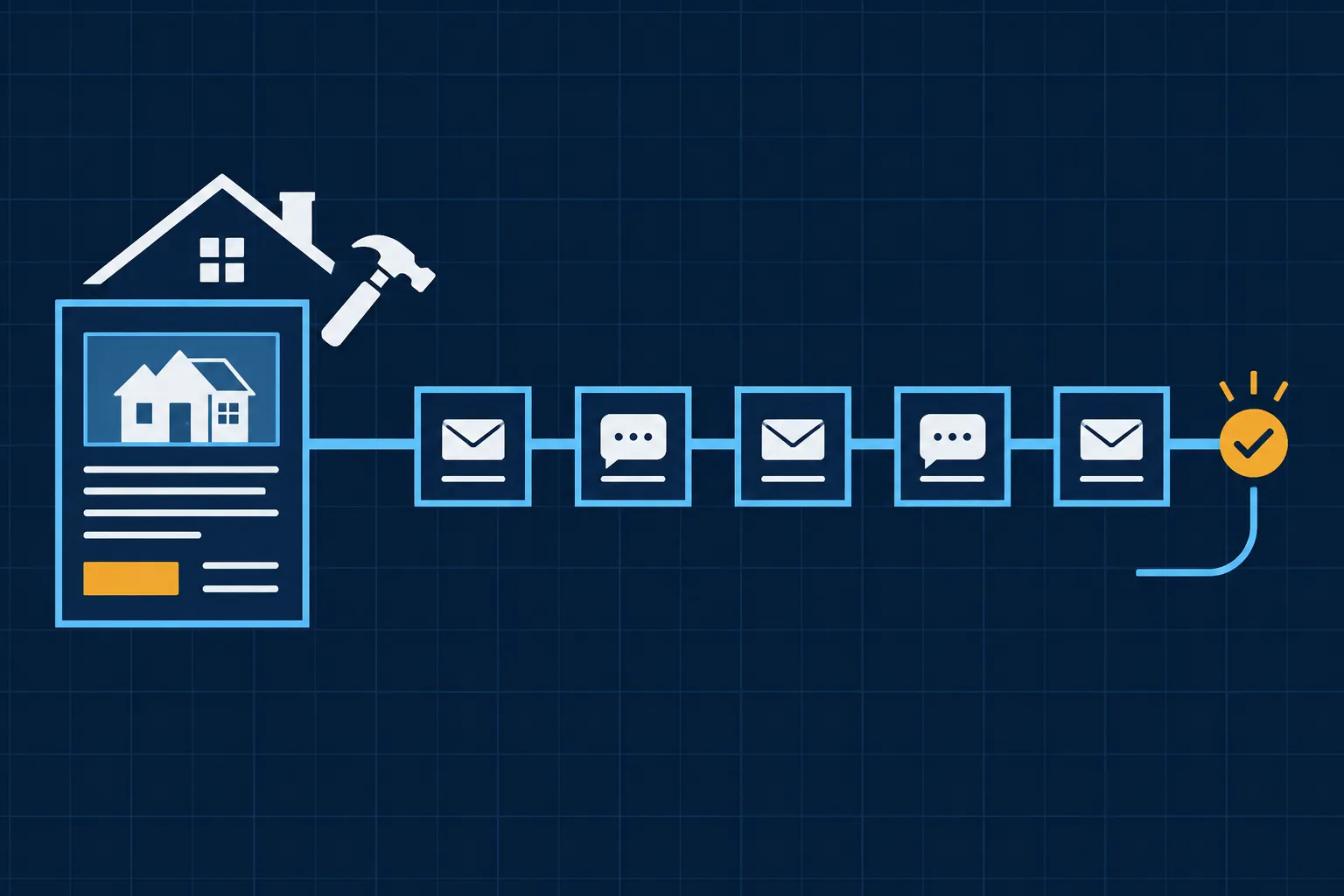
Estimate follow-up automation starts a timed sequence the moment a contractor marks an estimate as sent in Jobber, Housecall Pro or ServiceTitan, sends five short touches over 14 days, stops the instant the customer replies or books, and hands every reply to a person. SwiftBiz builds it as one workflow; the built-in tools in Jobber and Housecall Pro cover two reminders.
This is a workflow design for trades and home service firms, and the help pages for all three field service platforms were checked on November 21, 2026. This guide gives you the sequence, the stop rules, the handoff, where AI drafting helps and where it doesn't, and the CASL basics for Canadian contractors.
What do you need before you start?
You need four things in place before you automate a single message:
- A clean estimate status. Your field service management (FSM) software has to know whether an estimate is sent, approved, declined or converted to a job. If your team approves jobs by phone and never updates the status, the automation will keep chasing a customer who already said yes.
- One reply inbox. Texts and emails sent by the sequence must come back to a place a person watches, not a no-reply address.
- An owner for replies. Name the estimator or office person who takes over when the customer answers.
- Your current native limits. Know what your platform already does, so you only build what is missing.
Here is what the three platforms document today:
| Platform | Built-in estimate follow-up | Stops when | What is missing |
|---|---|---|---|
| Jobber | Two quote follow-up automations, up to 90 days after sending, Connect plan and up | The quote leaves "awaiting response" | No documented condition for a customer reply |
| Housecall Pro | Pipeline messages: "Estimate Status - First Follow-Up" and "Second Follow-Up", by email or SMS | Depends on Pipeline status | Two touches; reply handling sits with your team |
| ServiceTitan | Marketing Pro Unsold Estimates campaigns; Virtual Agent two-way SMS follow-up | Won or Dismissed opportunities are excluded | Running both tools at once duplicates outreach |
Jobber's Automations help page says there are "two quote follow-up automations available, so that you can send your clients up to two reminders about their quotes in 'awaiting response' status." Its custom automation builder can add more notices on select plans, but the documented conditions are quote status, client tag and line items, with a maximum of six conditions. None of them is "the client replied." Housecall Pro's email and SMS communications article lists the two Pipeline follow-up messages. ServiceTitan's Virtual Agent estimate recovery holds a two-way SMS conversation, is available in the United States and Canada, and warns that running it alongside the Marketing Pro Unsold Estimates campaign "results in duplicate outreach."
If two reminders and status-based stopping are enough for you, turn on the native feature and stop reading. The rest of this guide is for contractors who want more touches, reply detection and a clean handoff.
Step 1: How do you trigger the sequence on "estimate sent"?
Trigger on the status change, not on a date. When an estimate moves to sent (Jobber's "awaiting response", Housecall Pro's "Sent", ServiceTitan's open estimate), the FSM fires an event that your workflow tool picks up through the platform's API, webhook or integration. We would build this layer in n8n or Make; Zapier works for lower volumes.
The workflow stores four fields at the start: customer name, estimate number, estimate total and the estimator's name. Every later step reads those fields, so a message never goes out with a blank name or the wrong job.
Add one filter at the trigger: skip estimates under a dollar floor you choose. A drain-cleaning call doesn't need five touches; a furnace and AC replacement does. ServiceTitan's Virtual Agent has the same idea built in as a minimum estimate value.
Step 2: What timing should the follow-ups use?
This is the SwiftBiz 5-touch sequence, our starting cadence for a build like this. The days are counted from the moment the estimate is sent, and messages go out during business hours in the customer's time zone.
| Touch | Day | Channel | Purpose |
|---|---|---|---|
| 1 | Day 1 | Text | Confirm they received it; offer to answer questions |
| 2 | Day 3 | Restate scope and the one or two options on the estimate | |
| 3 | Day 6 | Text | Ask if timing or budget is the blocker |
| 4 | Day 10 | Answer the most common question for that job type | |
| 5 | Day 14 | Text | "Should I close this file?" message, then hand off |
Illustrative example. The figures show what this build is designed to achieve, not a measured client result.
We have no independent conversion figure for this cadence, and we haven't found one that doesn't come from a vendor selling follow-up software. Treat the days as a starting point and adjust them against your own approval data after a month.
Sample touch 1, with bracketed fields filled from the estimate:
Hi [First name], it's [Estimator] from [Company]. Just checking that
estimate #[Number] for the [job type] came through. Happy to answer
any questions here. Our contact details: [short link]. Reply STOP to
opt out.
Step 3: What stops the sequence?
Stopping is the part most contractors skip, and it is the part that protects your reputation. The rule is simple: any sign of life from the customer, or any change in the estimate, ends the automated messages.
| Event | Action |
|---|---|
| Customer replies by text or email | Stop all touches; route the reply to the estimator |
| Customer calls the office | Stop; the call logger or CSR marks the estimate "contacted" |
| Estimate approved, converted or job booked | Stop; no "thanks for booking" from this workflow |
| Changes requested | Stop; create a revision task for the estimator |
| Estimate declined or dismissed | Stop; tag the reason |
| Customer opts out (STOP, unsubscribe link) | Stop every commercial message to that contact, not just this sequence |
The reply rule is what native tools don't document. In practice it means the workflow checks the reply inbox (or the FSM's message log) before every touch, and a separate listener stops the sequence the moment an inbound message arrives. We test it by replying "ok" to touch 1 on a test estimate and confirming touch 2 never fires.
Step 4: How does the handoff to a human work?
When a stop rule fires on a reply, the workflow creates a task for the named estimator inside the FSM, with the customer's message, the estimate number, the touches already sent and a one-line summary of the conversation. It also alerts the estimator by text or Slack, depending on where they actually look.
Set a response target for that task, for example within two business hours, and add an escalation: if the task is still open past the target, it goes to the owner or office manager. The customer replied because they want a person. A follow-up machine that answers a real question with another template is worse than no machine. Our guide to human-in-the-loop AI workflows covers how to decide which steps wait for a person.
After touch 5 with no reply, the workflow doesn't keep going. It hands the estimate to a person for one phone call and then archives it (Jobber can auto-archive quotes after a set number of days).
Step 5: Where does AI drafting help, and where doesn't it?
AI earns its place in touches 2 and 4, the emails. A language model reads the estimate's line items and the technician's notes and drafts a message that names the actual equipment, the options quoted and the question this type of customer usually asks. "Your estimate includes the two-stage furnace and a new return duct; the duct work is what makes the airflow numbers on page 2 possible" reads like a person wrote it. "Just following up on your recent estimate" reads like a machine.
Guardrails we put on every draft:
- The model can't change a price, offer a discount or promise a date. Those words are blocked and the draft is flagged.
- For the first two weeks, an estimator approves each AI draft before it sends. After that, drafts that pass the checks send on their own, and anything flagged waits.
- Texts (touches 1, 3 and 5) stay as fixed templates with filled fields. They are short enough that AI adds risk without adding value.
The AI never answers a customer's reply on its own in this build. Replies go to a person, as in step 4.
Want this sequence built on your Jobber, Housecall Pro or ServiceTitan account? Start with an AI Readiness Audit ($3,500 CAD, credited toward your retainer), where we map your estimate pipeline and confirm what your platform can already do.
Step 6: Is an automated estimate follow-up CASL-compliant?
Under Canada's Anti-Spam Legislation, a commercial text or email normally needs consent, but section 6(6)(a) removes the consent requirement for a message that "solely" provides "a quote or estimate" that "was requested by the person to whom the message is sent." The exemption covers consent only: every message still has to identify you, give contact information and include an unsubscribe mechanism under section 6(2). Keep each touch about the requested estimate, with no promotions, and note that a customer inquiry within the previous six months also creates an existing business relationship under section 10(10)(e).
The Act doesn't say how far "solely provides a quote or estimate" stretches to reminders, and touches that ask about timing or budget may fall outside it. For those, the basis to rely on is implied consent from the customer's inquiry (the six-month existing business relationship above), so record when and how each estimate was requested, keep every touch about the estimate itself, and have a lawyer confirm the classification. In a text, a clearly marked link to a page with your mailing address and a phone number, email or web address can carry the contact information when it does not fit in the message (CRTC regulations, SOR/2012-36, s. 2). When a customer opts out, section 11(3) requires you to act on it without delay and no later than 10 business days; the workflow should stop at once.
How do you know it's working?
Track four numbers from the FSM, monthly:
- Approval rate on estimates above your dollar floor, compared with the three months before launch.
- Days from sent to approved, which should shorten if the sequence is doing its job.
- Reply-to-handoff time, the gap between a customer's reply and a person answering it.
- Opt-out rate per touch. If one touch drives most opt-outs, rewrite it or remove it.
Also check a sample of ten sequences each month by hand: did anything send after a reply, after a booking or to a declined estimate? One of those is a bug, not a statistic.
What usually goes wrong?
- Stale statuses. The office books a job by phone and forgets to convert the estimate, so touch 4 lands on a customer whose install is next Tuesday. Fix the process first, or add a check against the schedule.
- Double outreach. The native follow-up and the custom sequence both run. Turn the native one off for estimates the custom workflow handles, as ServiceTitan's own documentation warns.
- No-reply senders. Messages sent from an address nobody reads make the stop-on-reply rule useless.
- Too many touches on small jobs. Five messages about a small repair annoy people. Use the dollar floor.
This workflow isn't worth building if you send fewer than about 20 estimates a month, or if your estimators already call every customer within two days. In that case, turn on the native reminders and spend the money elsewhere. For trades with a steady estimate flow, it fits alongside the call answering and booking work on our home services page. The build itself is part of our AI workflow automation service; see pricing for the retainers.