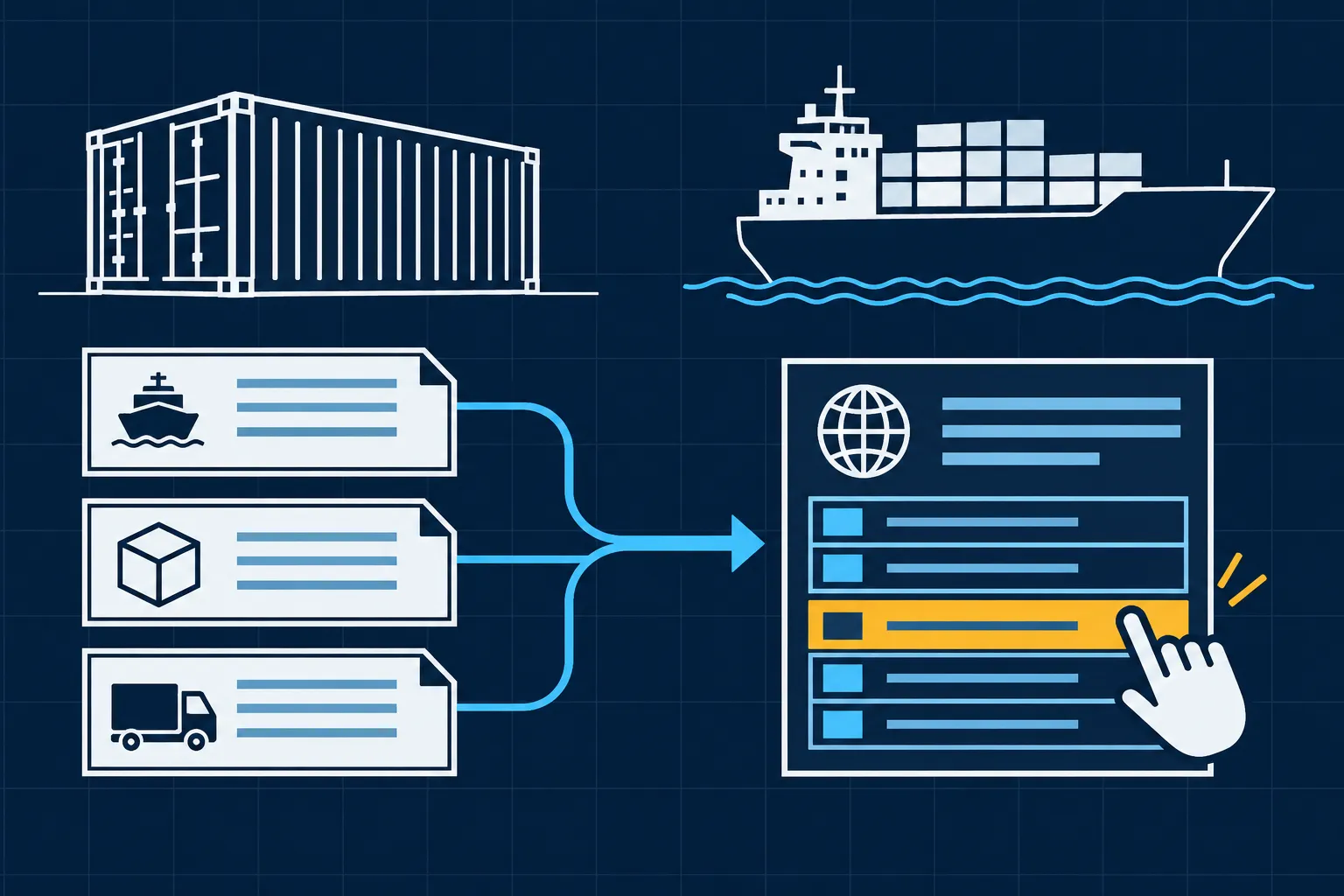
AI customs brokerage in Canada means software that reads the commercial invoice, packing list, bill of lading and CUSMA certification of origin, then pre-fills the Commercial Accounting Declaration (CAD) a licensed broker files in CARM. The broker still decides tariff classification and origin. SwiftBiz builds these review-first pipelines with a target of 20+ hours of keying saved per week.
We build document extraction pipelines with confidence thresholds and human review queues, and every regulatory statement below comes from the CBSA, the Customs Act or the Customs Brokers Licensing Regulations. The rest of this page covers where the time goes, the step-by-step workflow, what the broker must keep doing, cost, and who should not bother.
Where does a customs brokerage lose time on documents?
Much of a brokerage's document time goes to re-keying the same data from four PDFs into one declaration, then fixing the mismatches. The volume is large. According to the CBSA's CARM features page, in 2025 the CARM system processed over 41 million Commercial Accounting Declarations, collected $47.5 billion in duties and taxes, and was used by over 213,000 businesses.
CARM has been the official system of record for duties and taxes since October 21, 2024, and the CAD "replaced the previous customs coding (B3) and request for adjustment (B2) forms." The paperwork behind each CAD did not change, though. A typical import still arrives as:
| Document | Fields a pipeline extracts | Where it feeds the CAD |
|---|---|---|
| Commercial invoice | Vendor, purchaser, invoice number, currency, line descriptions, quantities, unit prices, terms of sale | Value for duty inputs, line descriptions, currency |
| Packing list | Line quantities, package counts, weights | Quantity checks against the invoice |
| Bill of lading or waybill | Carrier, cargo control number, shipper, consignee, port | Release and matching references |
| CUSMA certification of origin | Certifier, exporter, producer, importer, 6-digit HS, origin criterion, blanket period | Preference claim support |
That table is our own field map, not a CBSA form.
What does an AI workflow look like, step by step?
An AI workflow for a brokerage runs from inbox to a draft CAD that a person approves. Here is the build we scope, in order:
- Capture. Shipment emails and portal uploads land in one intake queue. The pipeline splits multi-document PDFs and labels each page as invoice, packing list, bill of lading or certification.
- Extract. A document model reads each field with a confidence score. Low-confidence fields, such as a handwritten quantity or a blurred currency code, go to a review queue rather than straight through. Our post on AI document processing accuracy explains how those thresholds work.
- Cross-check. The pipeline compares invoice quantities with the packing list, invoice totals with line sums, and the consignee on the bill of lading with the importer of record. Mismatches get flagged with the source page attached.
- Origin check. For a CUSMA claim, it confirms the certification carries the data elements the CBSA lists, including a description and an HS classification "to the 6-digit level," an origin criterion and, for a blanket certification, a period of up to 12 months.
- Classification suggestion. It proposes candidate tariff numbers from the product description, the client's past entries and any rulings you hold, with its reasoning shown. A licensed person picks the number or overrides it.
- Draft the CAD. The approved data is mapped into your brokerage software, or into a file for your existing EDI or API connection, for the broker to review and transmit.
- Archive. The source documents, the extracted values, who approved what and the transmitted data are stored together for audit.
It is the AI invoice processing pattern with two extra gates: origin and classification.
What must the licensed broker still decide?
A qualified person at the brokerage should still decide tariff classification, origin and value, because the law puts the correction duty on the importer, owner or person who accounts for the goods, not on software. Section 32.2(2) of the Customs Act says that an importer, owner, or person authorized to account for the goods shall, "within ninety days after the importer, owner or person has reason to believe that the declaration of origin (other than a declaration of origin referred to in subsection (1)), declaration of tariff classification or declaration of value for duty made under this Act for any of those goods is incorrect," make a correction and pay any amount owing. Under section 32.2(4), that obligation "ends four years after the goods are accounted for."
The Customs Brokers Licensing Regulations (SOR/86-1067) set out duties an AI pipeline has to support, not replace:
- Section 14(c): every customs broker shall "furnish to the importer or exporter, in respect of each transaction made on their behalf, a copy of the customs accounting documents bearing the customs accounting number and official customs stamp, or a copy of the information transmitted by electronic means to the Agency."
- Section 17(1)(b): keep "a copy of each customs accounting document made while transacting business as a customs broker, a copy of all supporting documents and a copy of the information transmitted by electronic means to the Agency."
- Section 17(2): retain that information "for a period of six years after the importation of the goods to which the information relates."
- Section 17(3): keep it "in such a manner as to enable an officer to perform detailed audits and to obtain or verify the information."
- Section 18(1)(g): the licence may be suspended or cancelled if a broker "failed to carry out his duties and responsibilities as a customs broker in a competent manner."
Our reading for the design: the archive step in the workflow is not optional, and an AI suggestion is a supporting note, never the decision. Section 17(4)(c) allows records "on machine-sensible data media if the media can be related back to the supporting source documents," which is why we keep the original PDF linked to every extracted value. The CBSA takes the same stance on its own side: its page on how automation is used in CARM says the system is "only partially automated because CBSA officers continue to review transactions and remain responsible for final decision-making."
How do CARM, release prior to payment, EDI and the APIs fit in?
CARM is where the CAD is filed, and AI sits upstream of it. The CBSA says trade chain partners can submit a CAD or request a correction "in the CARM Client Portal or by setting up a connection with the CBSA via electronic data interchange (EDI) or application programming interface (API)." A pipeline should hand data to whichever channel your brokerage software already uses, not open a new one.
Four CARM rules shape the build:
- Delegation first. "A customs broker cannot submit a CAD on behalf of an importer in the CARM system until the importer delegates them authority in the CARM Client Portal." Client onboarding should check delegation before documents are processed.
- Corrections create versions. A correction is "a penalty-free change to an original CAD submitted before payment is due," and each one creates a new version. Adjustments after the due date "may result in a penalty or interest." Catching a mismatch before transmission is cheaper than a later adjustment.
- Release prior to payment needs the importer's security. Under the Release Prior to Payment sub-program, goods are released before duties are paid, and importers "must post financial security" to use it. That is a client-file check, not something a document model solves.
- Billing dates are fixed. Statements of account are issued on the 25th of each month, with payment due 10 weekdays after the 17th, so a backlog of unfiled entries has a hard deadline.
For direct system connections, the CBSA's digital commercial trade services page says brokers "can connect their internal systems directly to CBSA systems using EDI," with technical specifications in the Electronic Commerce Client Requirements Document. The CBSA also links a CARM Open API catalogue from its CARM overview. When we checked on November 21, 2026, the catalogue was down for maintenance, so we are not listing its endpoints here. Read it yourself, or ask your brokerage software vendor which CARM APIs they support.
What does it cost, and when does it pay back?
A first production document workflow takes 4 to 8 weeks to build, and pricing is in Canadian dollars. The usual starting point is the AI Readiness Audit at $3,500, credited toward your retainer, which maps your document mix, error points and filing channel. Builds then run on a monthly retainer of $4,500, $9,000 or $20,000; a knowledge base over your rulings and past classifications is a +$3,000/mo add-on. See pricing for what each tier covers.
Here is the payback math we use when scoping:
| Input | Value |
|---|---|
| Entries per month | 900 |
| Document keying time per entry today | 10 minutes |
| Review time per entry with AI pre-fill | 4 minutes |
| Time saved | 6 minutes x 900 = 90 hours per month, about 21 hours per week |
Illustrative example. The figures show what this build is designed to achieve, not a measured client result.
Error reduction is a design target too: up to 90% fewer keying errors reaching the draft, because the cross-checks catch quantity and total mismatches before a person signs off.
If you want those numbers for your own entry volume, book an AI Readiness Audit and bring a week of anonymized shipment files.
Which tools does it connect to?
The pipeline connects to what you already run. On the extraction side that usually means a document model such as Amazon Textract, Azure AI Document Intelligence or Google Document AI, or a large language model with a review layer. On the filing side it hands data to your brokerage or customs software, which then transmits through the CARM Client Portal, EDI or the API channel it supports. Intake is usually Outlook or Gmail, plus a shared drive or your clients' portal uploads. See our AI document processing service page for the integration options, and the trucking page if you also run cross-border freight.
Who is this not for?
This is not worth building for every brokerage. Skip it, or wait, if:
- You file a few dozen entries a month. The keying time is too small to pay for a build. A good template and a checklist will do.
- Your documents are already structured. If most clients send data feeds or EDI files rather than PDFs, the gain is in validation rules, not document AI.
- You want the software to classify on its own. We will not build that. Classification and origin stay with your qualified staff, and the Customs Act correction duty stays with the importer, owner or person who accounts for the goods.
- Your brokerage software has no import path. If nothing can receive the extracted data, you will re-key it anyway.
For a mid-volume brokerage drowning in PDF invoices, the rule is simple: automate the reading and cross-checking, keep the decisions human, and keep every source document tied to what was filed.